

Checked against the app: 20 November 2026Read as Markdown
Money comes in when someone sends it to your address: an exchange, a friend, or another wallet of yours. On a phone, Add money and Receive open the same screen. On the web, use Receive.
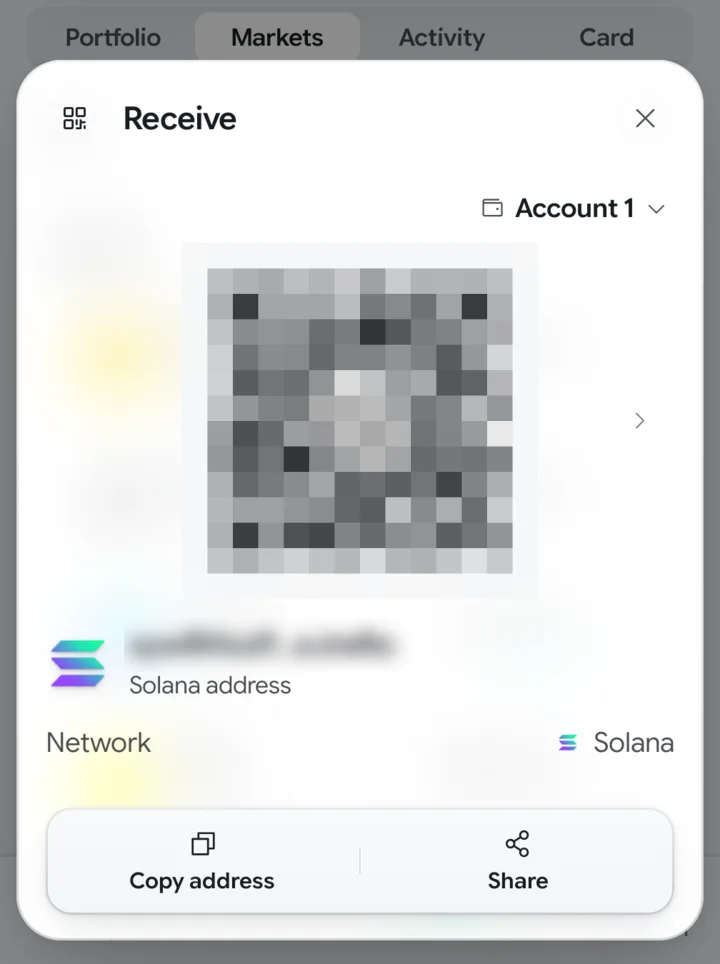
Get paid in four steps
- Open Wallet and tap Receive (on a phone, Add money does the same).
- Swipe to the network the money is coming from. They are always in this order: Solana, Ethereum, Sui, Bitcoin.
- Tap Copy address, or Share to send it.
- Give it to the sender. The money lands once the network confirms.
Match the network
Each address belongs to one network. Bitcoin coming? Give your Bitcoin address. The page says Bitcoin only.
| Money coming in | Use this address |
|---|---|
| SOL or USDC on Solana | Solana |
| ETH, or USDC on Ethereum | Ethereum |
| SUI or USDC on Sui | Sui |
| Bitcoin | Bitcoin |
Is my address safe to share?
Yes. An address only receives. Guard your words, not your address.
Common questions
Can I pay by card or bank?
Not in the wallet. Receive from an exchange or another wallet. Mobile plans take cards at checkout.
Someone wants to pay me by phone number.
On Onyx, they pay your number from their wallet or a chat. Money in chat.
Why does my Bitcoin address change?
For privacy, Bitcoin shows a fresh address each time. Every one is yours, and old ones still work.