

Checked against the app: 20 November 2026Read as Markdown
Calls
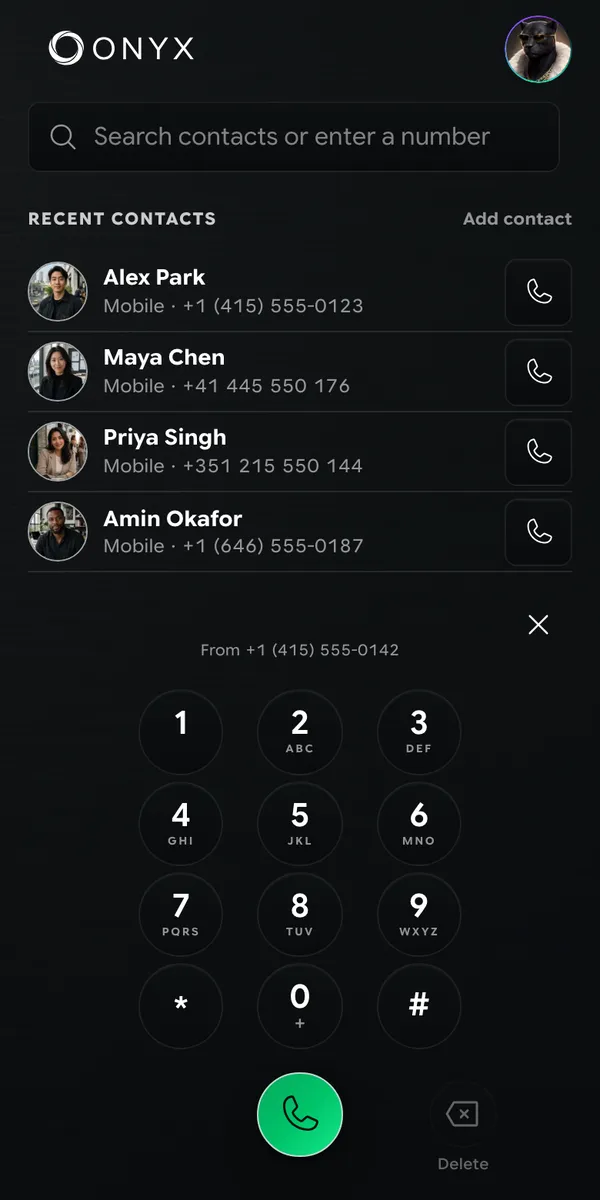
- Make a call: tap Call on Today to open the dialer, search a contact or type a number, and call.
- Get a call: it rings every signed-in device for 30 seconds. Answer on one; the rest stop.
- Missed it? You see Missed call. They reach voicemail.
Calls run over data or Wi-Fi, wherever you are.
Texts
Texts to your Onyx number live in Chat › SMS.
- Text any US or Canadian (+1) number.
- Attach a photo or voice note: JPEG, PNG, WebP or M4A, under 1 MB.
- On the web, Message via picks SMS or Onyx chat.
Voicemail
- On by default. Turn it off in Settings › Profile › Voicemail; missed calls then stay missed.
- Up to 2 minutes each. In Voicemail: play, call back or delete.
- Record your own Greeting, or Use default.
Block a number
Open the number and tap Block: "Calls and texts from this number won't reach you." Blocked calls get a busy signal.