

Checked against the app: 20 November 2026Read as Markdown
Everything in or out: Wallet › Activity.
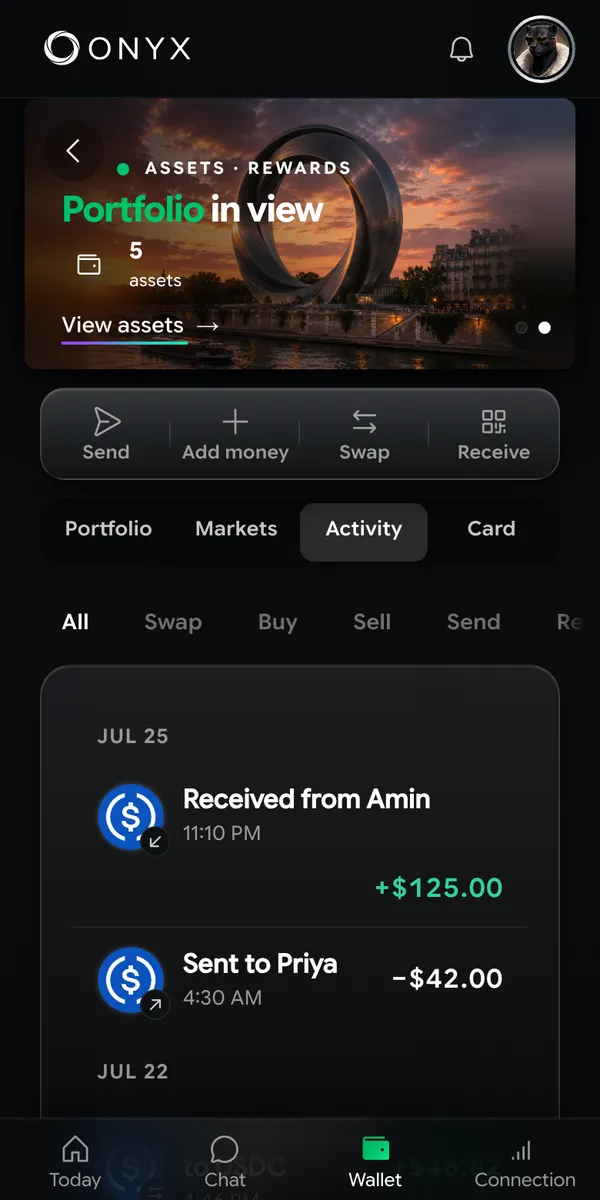
Read a timeline
Each item steps through Submitted, then Confirmed (or Failed), then Delivered or In your wallet.
A payment made in a chat reads In-chat payment · Sam. Tap Open chat to jump back to the conversation. The link works on the phone or computer you paid from; Onyx never learns which chat it was.
When it's taking a while
| Network | Usually done in |
|---|---|
| Solana, Sui | Seconds |
| Ethereum | Under a minute |
| Bitcoin | Ten minutes or more |
When something fails
- A failed swap moves to Needs attention at the top of Wallet. Nothing extra left.
- A chat payment that couldn't convert comes back Back as USDC.
- "Some history could not be read": your money's fine. Refresh later.