

Card & FX is how eligible Onyx balances become card spending and currency exchange.
Use it to issue virtual cards, activate physical cards, freeze or unfreeze spending, review card limits, pay merchants, exchange supported currencies, and track authorizations, settlements, reversals, and FX activity.
Before you spend or convert, review the card, merchant, amount, currency, rate, fee, and confirmation step.
Card & FX
Card and conversion review
Check card state, funding source, quote details, and settlement status before an action continues.
Card state
Active, frozen, suspended, expired
Eligibility
Region and verification
Controls
Freeze, replace, review
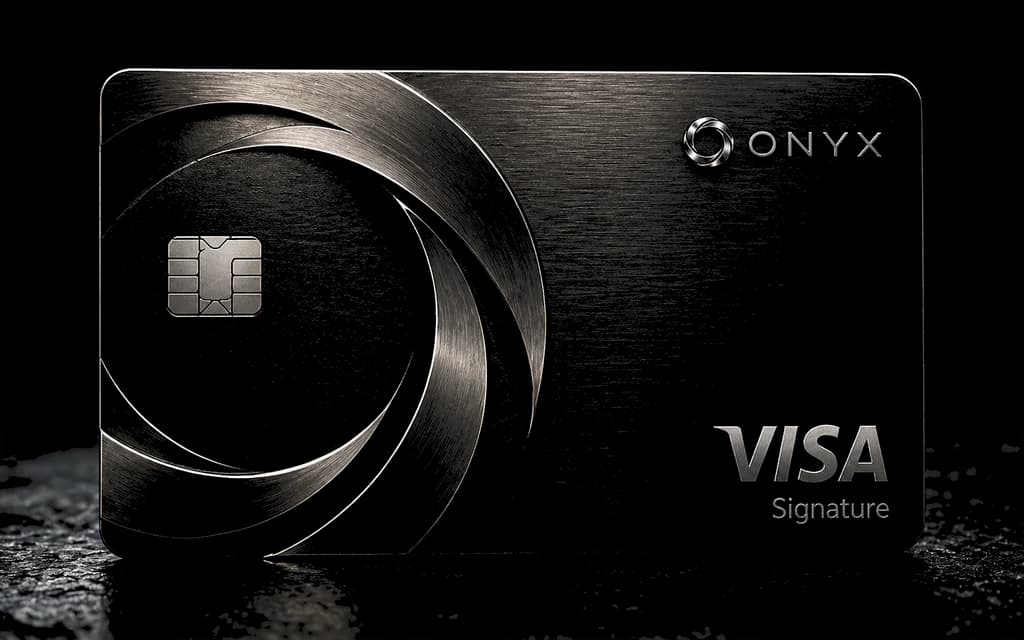
Card and FX actions require an eligible account state.
What Card & FX Is
Card & FX connects eligible balances to cards and currency conversion.
Cards let you spend with merchants. FX lets you exchange one supported currency for another after reviewing a quote. Together, they help you pay across currencies while keeping rates, fees, holds, limits, and activity visible before and after money moves.
Card & FX is not a credit product. Spending depends on eligible balances, card status, limits, verification, merchant authorization, and currency support.
What You Can Do
You can issue a virtual card, activate a physical card, freeze and unfreeze cards, review limits, make merchant purchases, exchange supported currencies, and track card and FX activity.
You can also review authorization holds, settlement changes, reversals, failed purchases, expired quotes, and completed conversions.
Some actions require card eligibility, identity verification, balance availability, country support, merchant eligibility, or account review. Those checks apply to the card or FX action you are taking.
Virtual Cards
Virtual cards are built for online spending.
Use a virtual card for merchant purchases, subscriptions, digital checkout, and mobile wallet provisioning when those card actions are active for your account.
A virtual card has a status, card controls, spending limits, currency, and transaction activity. If the card is frozen, expired, replaced, or restricted, spending pauses until the card can be used again.
Physical Cards
Physical cards are built for in-person spending after issuance, delivery, and activation.
Physical card access depends on delivery country, address review, verification, card eligibility, and card stock. After activation, the card can support in-person merchant purchases where the card network and merchant accept it.
Delivery timing depends on destination, courier handling, issuer processing, and local requirements.
Card Controls
Card controls help you protect and manage spending.
You can issue a card, activate it, freeze it, unfreeze it, replace it, review limits, and check activity. Use freeze when a card is lost, exposed, or no longer needed for active spending.
Card controls do not reverse completed purchases. They control future card use.
Authorizations And Settlement
A card authorization reserves money before the merchant finishes the purchase.
The final settlement can match the authorization, complete for a different amount, reverse, or remain pending until the merchant closes the transaction. Hotels, car rentals, subscriptions, restaurants, and travel merchants often use holds that settle later.
Card spending requires enough available balance for the purchase and any hold.
Currency Exchange
FX lets you exchange one supported currency for another after reviewing a quote.
The quote defines the source amount, destination amount, currency pair, rate, fee, and expiration time. Rates can change before confirmation when market pricing, liquidity, banking windows, or network conditions change.
Refresh an expired quote before continuing. Confirm only when the amount, rate, fee, and currency pair match the exchange you want.
Spending Outside Your Home Currency
International card spending can use FX when the merchant charges in a different currency.
Review the purchase currency before confirming high-value or time-sensitive transactions. The final balance impact can depend on merchant currency, card currency, rate, fee, authorization amount, and settlement timing.
If a merchant offers dynamic currency conversion, compare the merchant's rate with the Onyx quote or card rate before choosing.
Transaction Activity
Activity records what happened to card and FX actions.
Card activity covers authorizations, pending purchases, settled purchases, failed transactions, cancelled attempts, reversals, replacements, and freezes. FX activity covers quotes, conversions, expirations, completed exchanges, and failed exchanges.
Pending means the action has started but has not finished. Completed means the action finished. Failed means the action did not complete. Reversed means the original card movement changed after authorization or settlement.
Verification And Eligibility
Card issuance, card limits, physical card delivery, digital wallet provisioning, FX, and higher-value spending can require verification.
Verification requirements depend on country, transaction amount, card type, settlement path, fraud review, account recovery, and local regulation.
If verification is required, complete it before the card or FX action continues.
Safety
Use card controls when a card is lost, exposed, or no longer needed.
Never share full card details, one-time codes, wallet recovery material, signing secrets, or verification documents outside secure flows.
Review the merchant, card, amount, currency, rate, fee, quote expiration, and authorization prompt before confirming a transaction.